While preparing for the CKAD, I tried the killer.sh simulator and didn’t score as well as I’d hoped. So I built an environment where I can practice mock exams that feel like the real thing.
It’s called cncf-practice, and the exam UI is deployed at https://cncf-practice.developerryou.workers.dev/.
This post covers why I built it and how to use it. The next one covers how it works inside.
Why
When you pay for the CKAD exam, you get killer.sh simulator sessions with it. It uses the same format as the real exam: questions on the left side of the browser, and a terminal on the right where you work on a real k8s cluster. It’s supposed to be harder than the actual exam, but when I tried it I was racing the clock and my score wasn’t great.
I’d written concept notes following the exam curriculum, but organizing concepts and actually solving tasks in a terminal under a time limit turned out to be pretty different things. So I set out to build something similar: a mock exam I could take just like the real one.
What I wanted
Here’s the spec I started with.
- Hands-on tasks on a real cluster, like killer.sh. No multiple choice
- 5 questions per round, medium-to-hard difficulty. Questions have sub-tasks, and each one ties together two or three concepts
- Automatic grading at the end, so I can see right away where I went wrong
- One click to rebuild the cluster from a clean state
I didn’t write the questions myself. I handed that to an AI agent. The agent reads the question-writing guidelines and the official docs, does some web searching, and produces the question sheet, a setup script, and a grading script. Then I solve the questions, and once I’m done, grading runs.
The cluster runs as a single node with kind on WSL2.
How it works
When you open the deployed page, it first checks your local environment. The page itself is a static site, so the question sheet, cluster, and terminal have to come from a local server running on your own PC. If there’s no local server, the page shows exactly how to clone and run it.
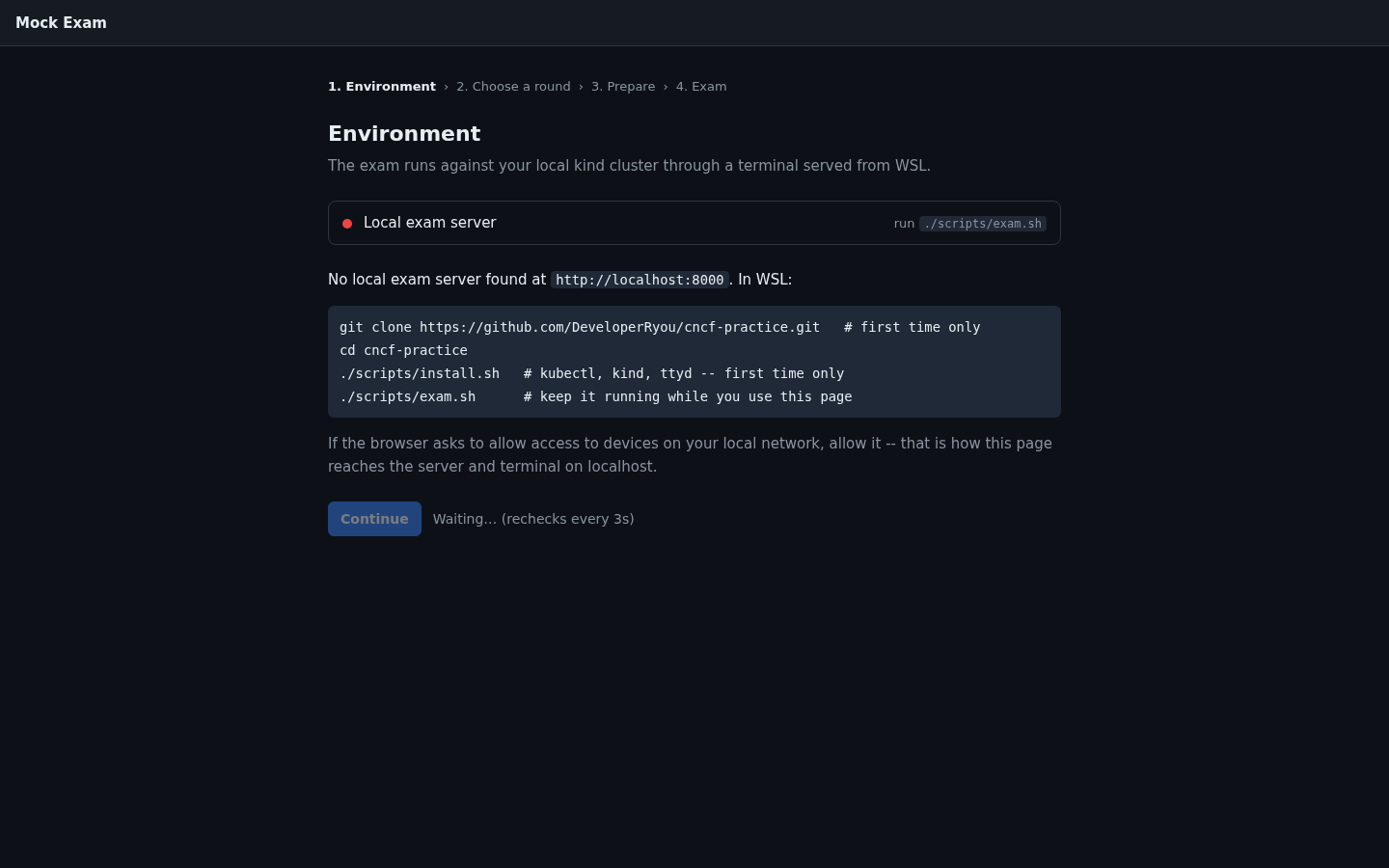
Run this in WSL and leave it running.
git clone https://github.com/DeveloperRyou/cncf-practice.git
cd cncf-practice
./scripts/install.sh   # install kubectl, kind, ttyd into ~/.local/bin
./scripts/exam.sh      # local exam server + terminal
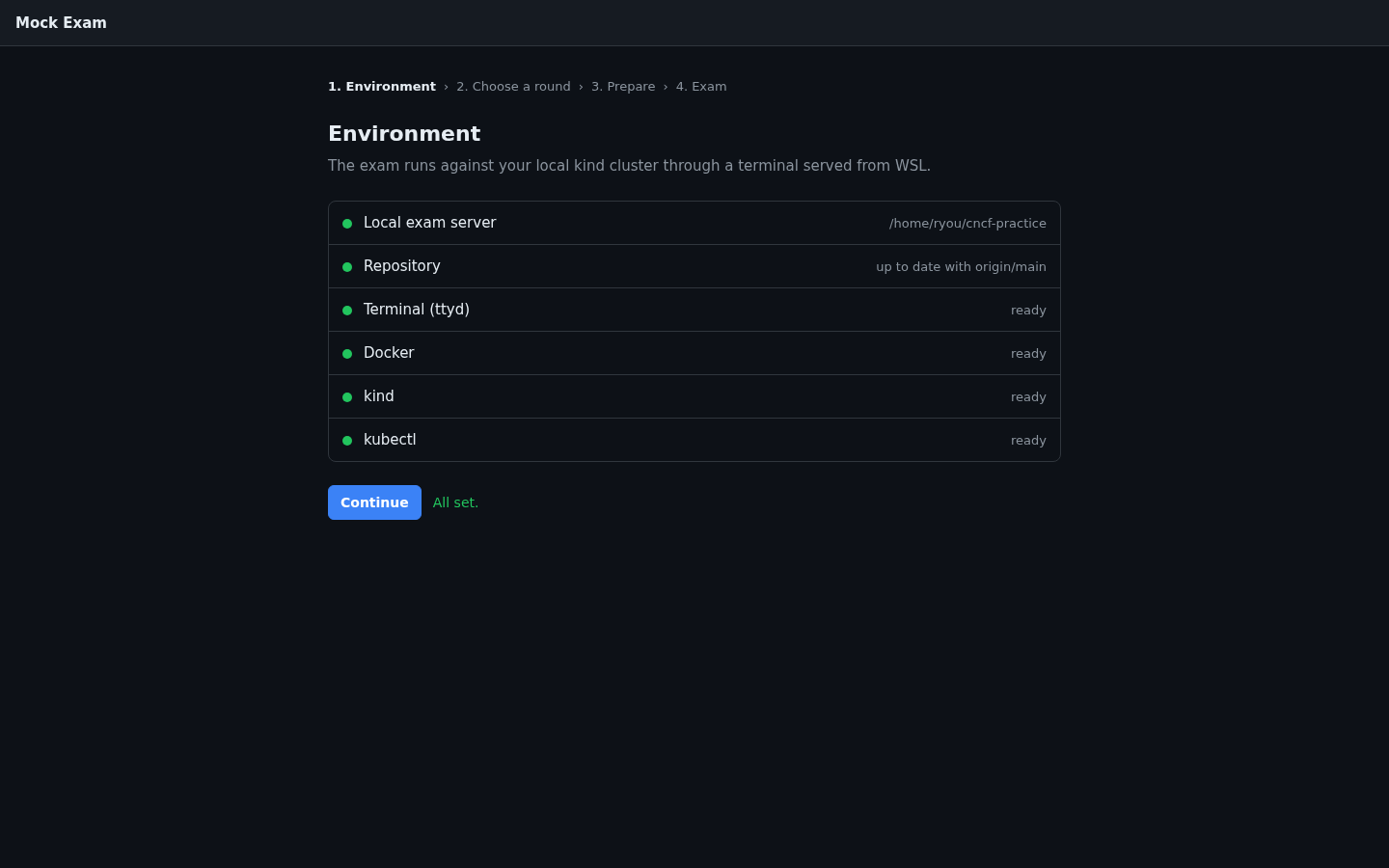
In Chrome or Edge, you’ll get a one-time permission prompt asking whether the site may “access devices on your local network”. You need to allow it for the page to reach localhost. Once the server is up, the page checks one by one whether the terminal, Docker, kind, and kubectl are ready, and tells you to git pull if your local clone is behind the remote repository.
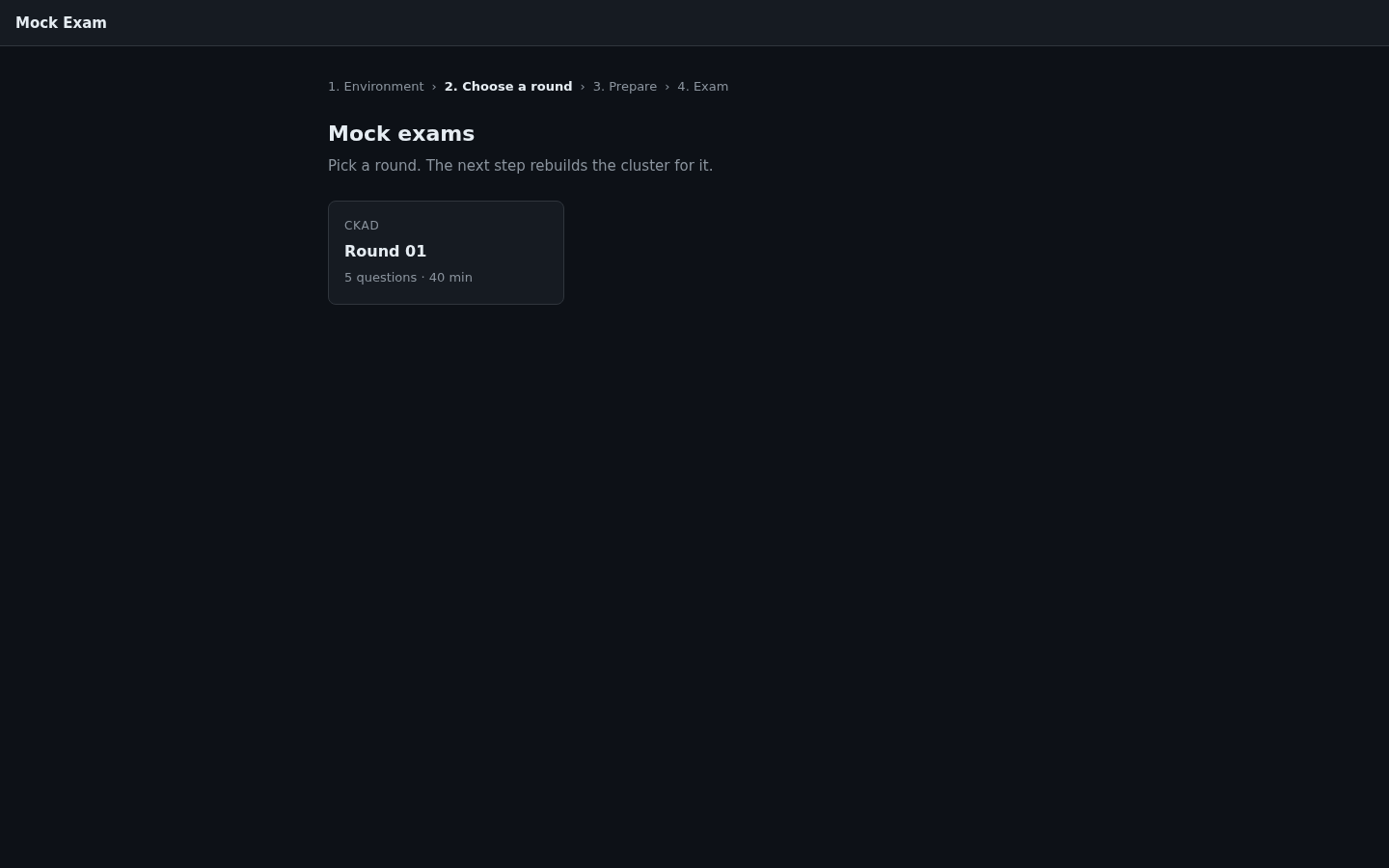
Next, you pick a round. Rounds are listed per certification, and rounds you’ve already taken show your score.
Picking a round takes you to the environment setup screen. Clicking “Prepare environment” deletes the cluster, creates a fresh one, and pre-installs the resources that round needs. For troubleshooting questions, this is also when the deliberately broken Deployments or Pods get created. The log streams straight to the screen, so you can see how far along the setup is.
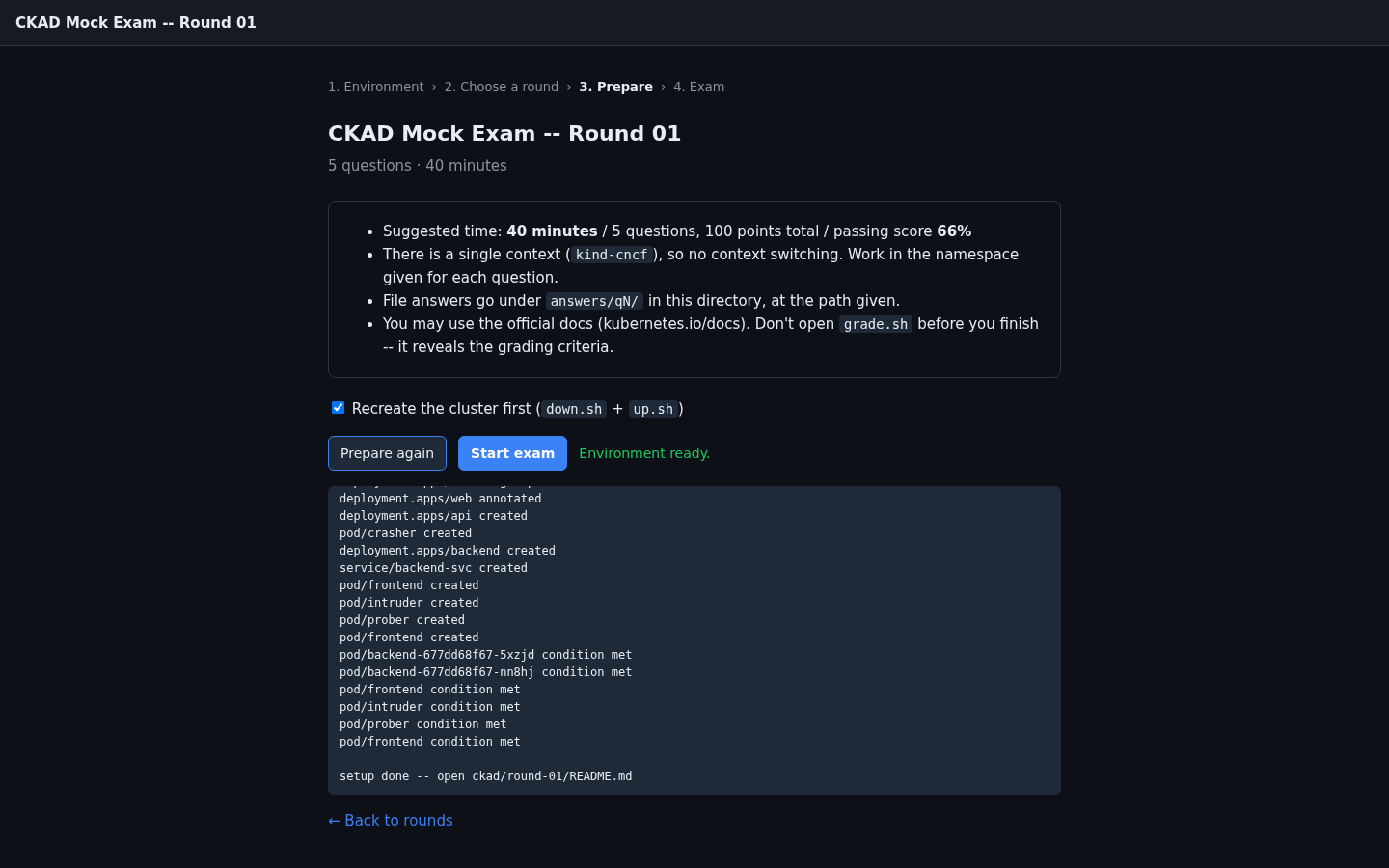
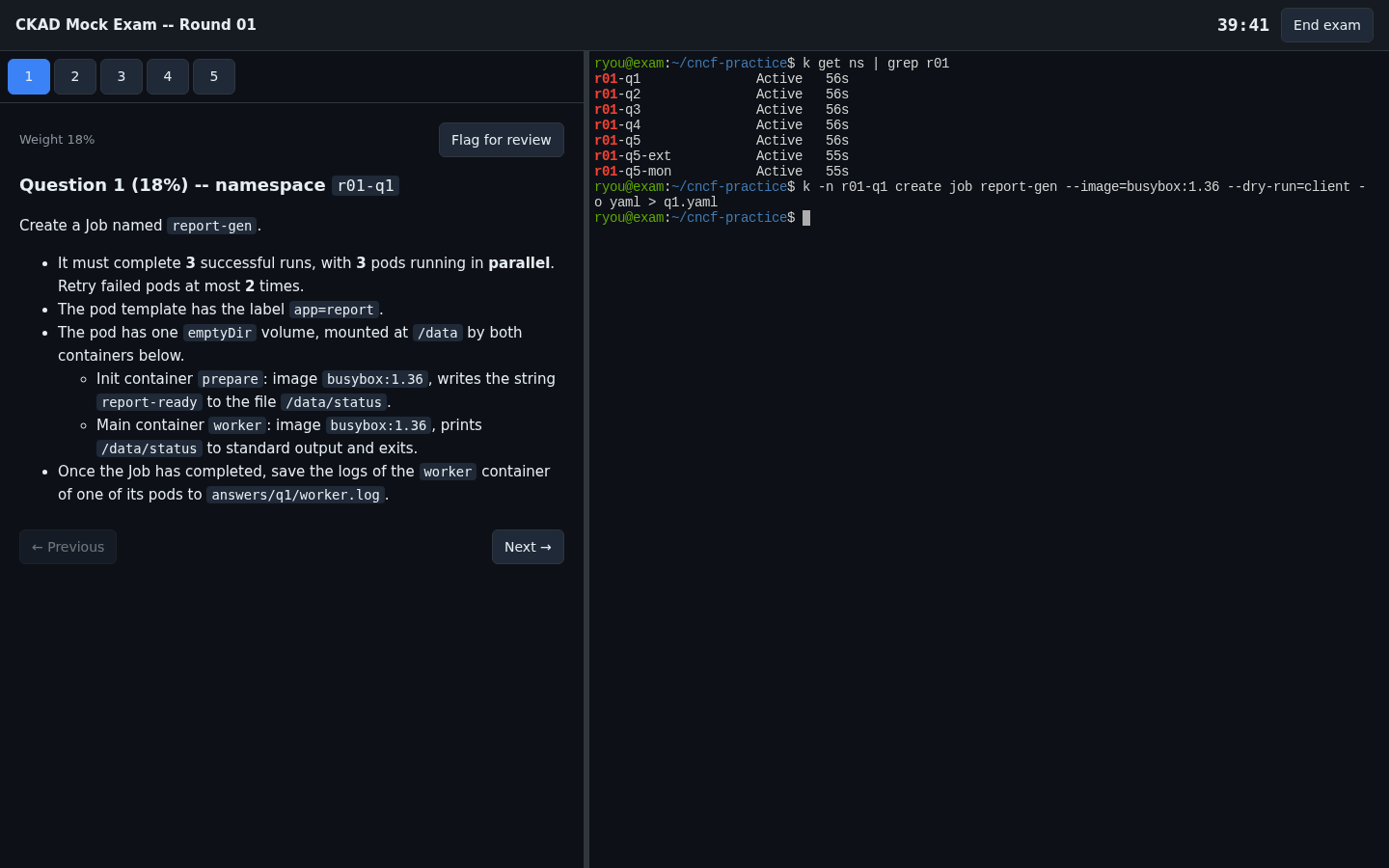
The “Start exam” button only lights up once setup is done, and clicking it starts the exam right away. The question sheet is on the left, a WSL bash terminal on the right, and a timer runs at the top. I copied the killer.sh screen as closely as I could. Each question has a numbered tab, you can flag questions to come back to, and clicking inline code in the question sheet copies it to the clipboard. The terminal comes with the k alias and autocompletion already set up.
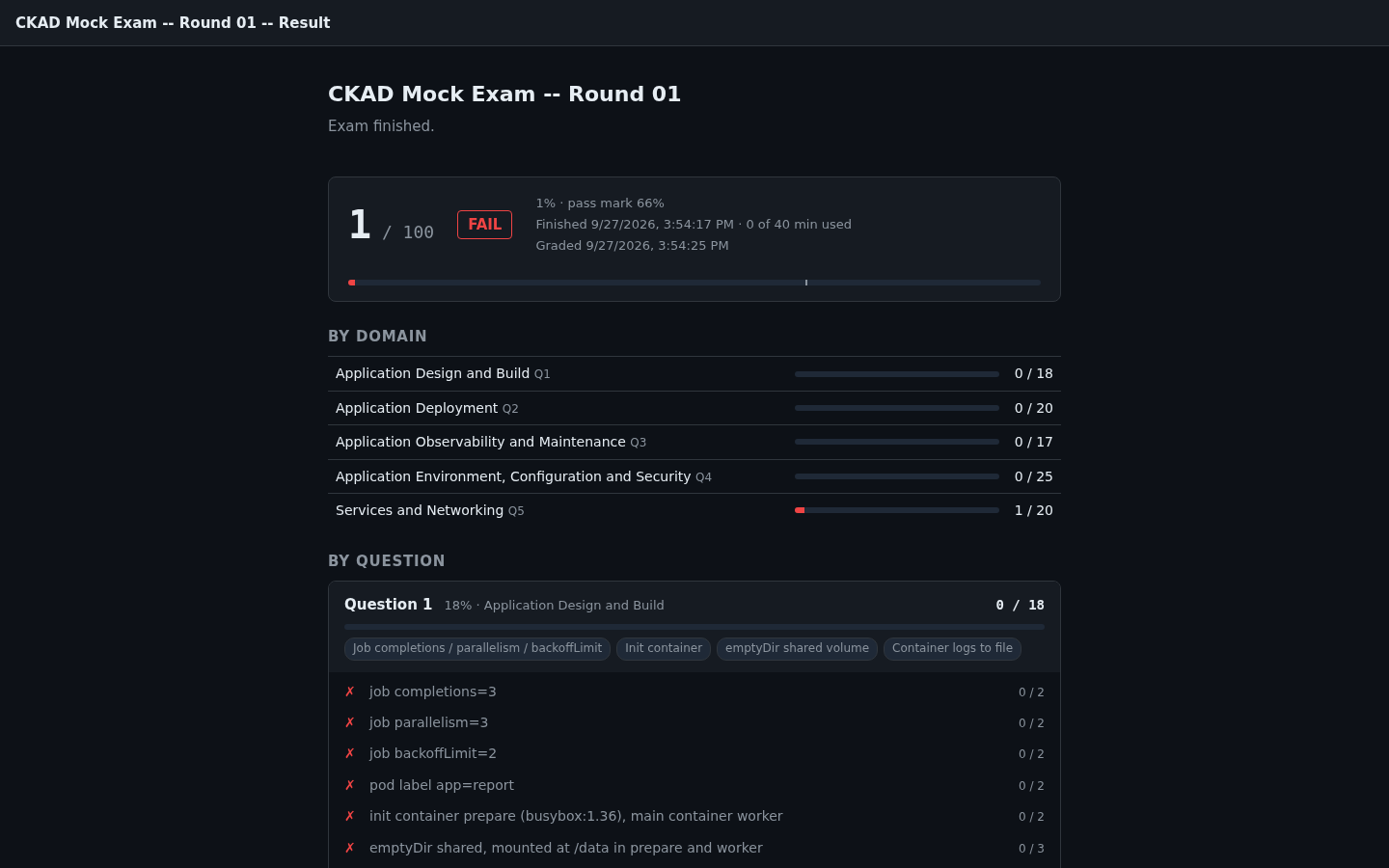
Clicking “End exam” stops the timer and runs grading immediately. You get the total score, pass/fail (the passing line is 66%, same as the real exam), scores per CKAD domain, and the graded checks for each question. The screenshot below is from ending the exam without solving anything, which is why the score looks like that.
To retake a round, just click it again in the list. Your previous answers and results are kept separately, and the cluster is rebuilt from a clean state.
Where it stands and what’s next
As of September 27, 2026, there’s only one set of questions: CKAD round-01, with 5 questions. I’m still preparing for the CKAD myself, so I plan to keep adding things as I go.
- More CKAD rounds, starting with the domains earlier rounds covered less
- Directories for other certifications like the CKA later on
- UI features that bugged me while solving
If you want to try it yourself, the four commands above are all it takes. That said, I’ve only tested it on WSL2 + Docker Desktop so far, and Safari isn’t supported because it blocks localhost access from https pages.
In the next post, I’ll go over how a static page drives a local cluster and terminal, and what safeguards I put in place so other sites can’t touch this server.